

Describe the project

New opening or retrofit? List room count, existing doors, shared spaces, staff access and the PMS in use.

Putrajaya, Malaysia · editorial photo. Hanno Böck · Photo source · CC0 1.0 · resized
HOTEL DOOR LOCK SYSTEMS · MALAYSIA
InnVerio helps Malaysian hotels compare systems and find suppliers. Check RFID, mobile access, PMS requirements and project support before asking for proposals.

Shah Alam, Selangor, Malaysia · editorial photo. Holidayinnklg · Photo source · CC BY-SA 3.0 · resized
APPLICATIONS
Guests and staff need different permissions for rooms, lifts, amenities and staff areas. Map who uses each door before choosing locks and credentials.

Location not specified · editorial photo. The Down Town Hotel · Photo source · CC BY-SA 4.0 · resized
SYSTEM INTEGRATION
Ask what happens across your PMS, encoder and access platform when a guest changes rooms, checks out or loses a key. Check support for the exact versions you use.

San Francisco, California, United States · editorial photo. TDFritz6 · Photo source · CC BY-SA 4.0 · resized
PLANNING RESOURCES
Compare door fit, credentials, integration evidence, installation coverage and after-sales support in one supplier brief.
01 / A BETTER WAY TO START
InnVerio helps Malaysian hotel projects select systems and find suppliers. Start with the property’s daily operations, then use the same requirements to compare each proposed system and supplier.
New opening or retrofit? List room count, existing doors, shared spaces, staff access and the PMS in use.
Decide what to check for RFID, mobile keys, software, offline access, emergency entry and front desk workflows.
Ask each provider for model details, integration evidence, installation scope, warranty and local support terms.

02 / PRODUCTS & SYSTEMS
Choosing hotel locks also means choosing credentials, encoders and management software for your doors. The right mix depends on guest flow, budget and how the property operates.
Familiar to guests and front desk teams. Check card technology, encoder compatibility, replacement cards and how access expires at checkout.
A practical baseline for many hotelsWhere supported, mobile keys can be part of a digital arrival. Check the guest app or wallet, phone requirements, connectivity and backup key.
Verify the full guest journeyOffer guests and staff a choice of credentials. Check whether cards and mobile keys both work on the exact lock model and how permissions stay in sync.
Compare total system scopeThese are technology categories, not InnVerio product specifications or claims of compatibility with any named PMS.
03 / APPLICATIONS
Plan access beyond the guestroom: where guests, staff and contractors need to go, who can change permissions and what happens when a credential is lost.
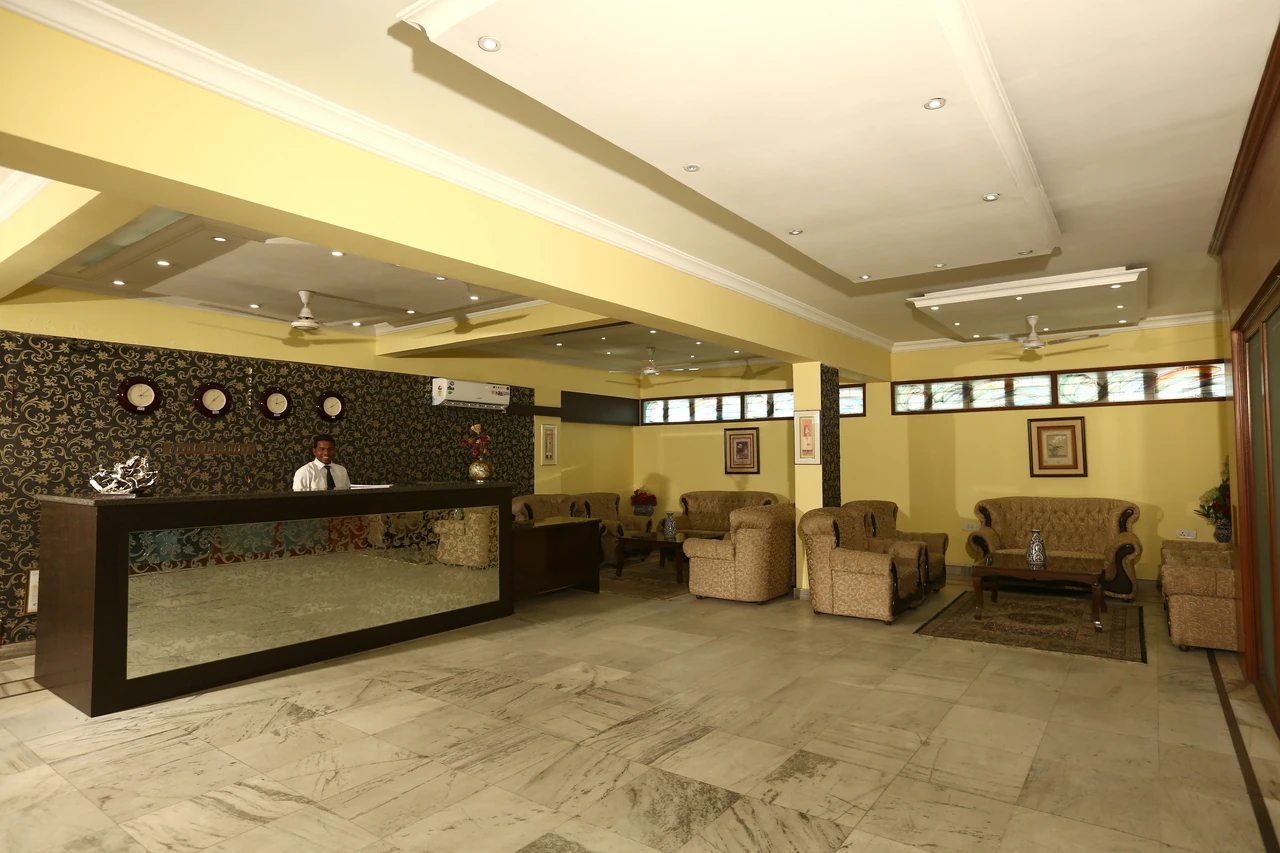
Reception is where staff issue keys and handle room moves. Test these steps with the proposed encoder and software.
Location not specified · Reference photo. The Down Town Hotel · Photo source · CC BY-SA 4.0 · resizedCheck-in, room changes, late checkout and replacement keys all affect front desk work.

List which doors and facilities each guest can use, then check how access expires.
Port Dickson, Malaysia · Reference photo. Simon_sees · Photo source · CC BY 2.0 · resizedMatch permitted floors and facilities to the guest's stay, with clear expiry rules.
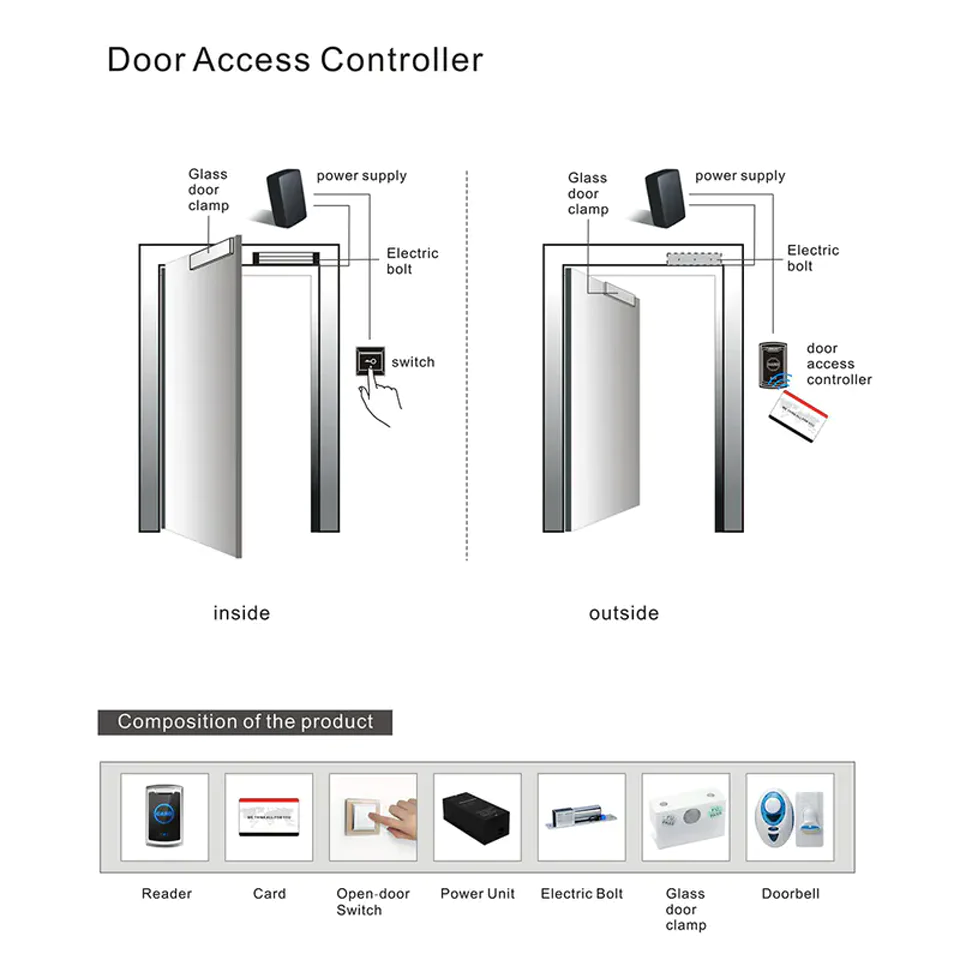
Check who can issue and revoke staff credentials, and which access records the proposed reader and software retain.
LEVEL Offline Door Access Reader · Supplier product pageSet role-based access for housekeeping, maintenance and contractors; review the audit and revocation process.
04 / SYSTEM INTEGRATION
Ask the supplier which interface supports your exact PMS product and version, and which tasks have been tested. A general compatibility claim is not enough to decide.
Can the front desk issue the right room credential from the intended workflow? Identify the PMS, encoder and access software involved.
Test room moves, extensions, early departures, lost cards and staff access changes before go-live.
Document battery alerts, offline operation, emergency entry, spare parts and who responds when a room cannot be opened.
05 / SUPPLIER EVALUATION
Ask every supplier the same questions so you can compare what is included, what needs proof and who is responsible after installation.
| Check | Ask the supplier for | Why it matters |
|---|---|---|
| Product & door fit | Exact model, lock body dimensions, door thickness range and installation drawings | Avoid late door changes and unplanned retrofit work |
| Credentials | Card standard, encoder, mobile-key flow and emergency access method | Understand the full guest and staff experience |
| PMS integration | Named PMS and version, interface details and a test plan | Separate a verified workflow from a broad marketing claim |
| Local delivery | Site survey, installation area, commissioning and staff training scope | Clarify who owns each step of the project |
| After-sales | Warranty, response times, spare parts and escalation contact | Plan for failures after opening day |
06 / WHY INNVERIO
We keep your hotel’s requirements, the product’s claims and the supplier’s commitments separate so you can check each before buying.
See where card, mobile and hybrid access differ before narrowing a supplier list.
Ask for model documents, integration tests and written service terms.
Include training, failure recovery, replacement parts and support in the buying decision.
07 / PROJECT EVIDENCE
Ask the supplier for the property type, installed model, door count, integration scope and its role in the project. Check these details with the reference property where possible.
08 / RESOURCES
Give every supplier the same project facts. That makes proposals easier to compare and exclusions easier to spot.
A starting checklist for Malaysian hotel owners, operators and project teams.Room count, door types, shared areas, new opening or retrofit, and desired installation window.
PMS name and version, current locks, key encoder, guest app and network conditions.
Model specifications, door fit, PMS test, emergency procedure and comparable references.
Warranty owner, local response, spare parts, staff training and software maintenance.
BUYER QUESTIONS
The answers depend on the product and project. Ask these questions to check what is actually included.
Start with your doors, room count, guest journey, PMS requirements, operating budget and local support. No model suits every hotel; compare suppliers against your own brief.
Get the PMS name and version, supported interface and functions in writing, then request a test for your project. A “PMS compatible” label alone is not enough.
A phased retrofit may be possible, but it depends on door preparation, room availability and installation capacity. Request a site survey and a room-by-room schedule.
No. Include encoders, cards or mobile access, software, integration work, installation, training, warranty, replacement parts and continuing support in the proposal.
START WITH THE PROJECT
Use the supplier checklist to define what your hotel needs and what every provider must confirm.
Review the supplier checklist


